





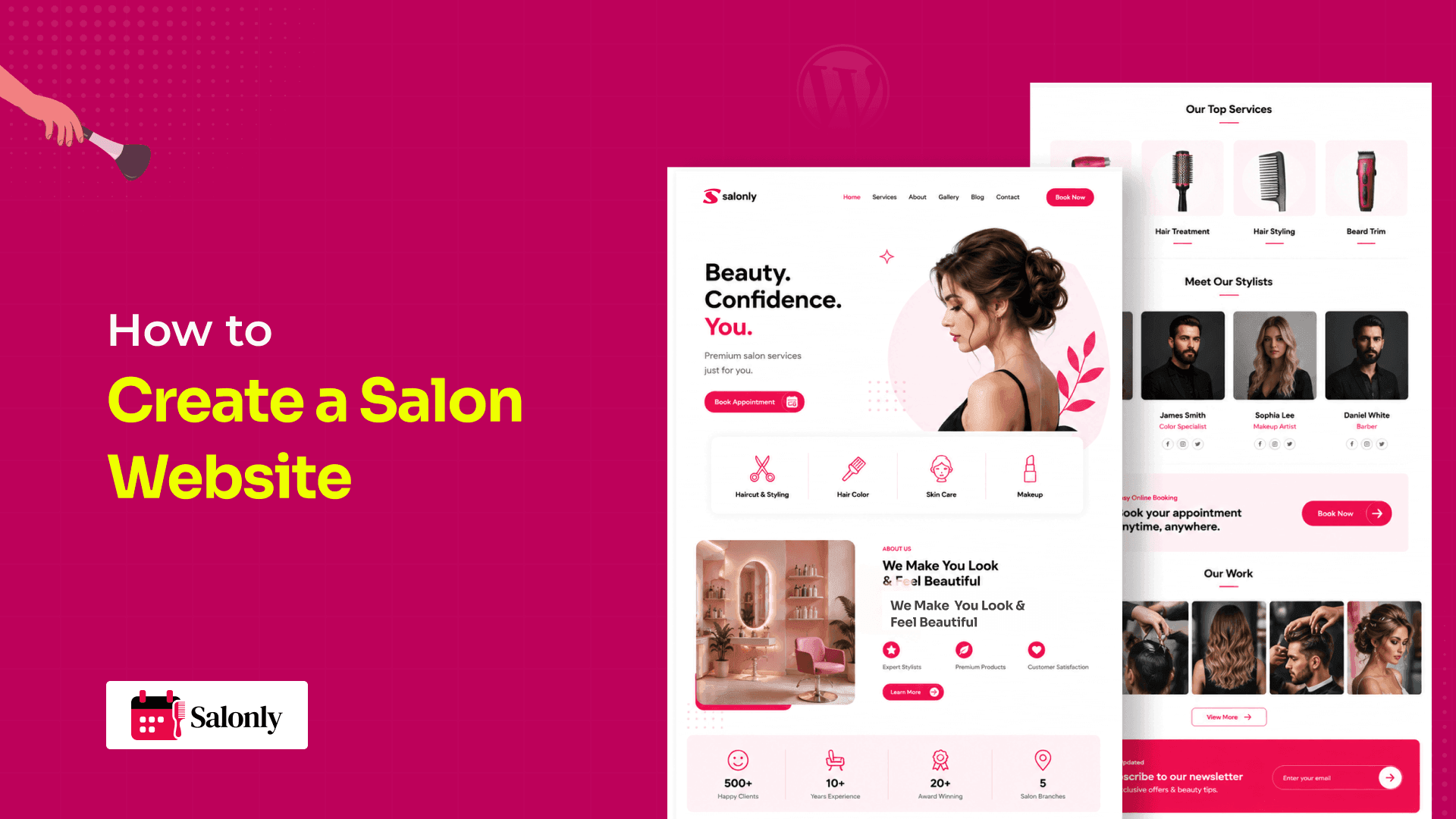
A salon website should do more than look attractive. It should help potential clients understand your services, compare prices, meet your team, view your work, find your location, and book an appointment without relying on phone calls or social media messages.
WordPress is a practical choice for salon owners who want an independent website with flexible design, useful content, local SEO, and online booking. You can create pages for services, staff, galleries, contact details, and policies, then add a salon booking plugin to manage appointment availability, employee schedules, deposits, payments, and confirmations.
This guide is designed for hair salons, beauty salons, spas, barbershops, nail studios, makeup artists, and independent beauty professionals. It explains how to plan, build, launch, and manage a WordPress salon website that supports both client discovery and daily appointment operations.
How to Create a Salon Website in Brief
To create a salon website, choose a domain and WordPress hosting, install WordPress, select a mobile-friendly theme, and create pages for services, staff, pricing, galleries, contact details, and policies. Add a salon booking plugin to manage staff availability, service duration, appointments, deposits, payments, and confirmations.
The complete process includes these steps:
- Define the salon’s website and booking goals.
- List the services, prices, duration, staff, and booking rules.
- Choose a domain and WordPress hosting provider.
- Install and configure WordPress.
- Select a salon-friendly WordPress theme.
- Create the essential salon website pages.
- Add online appointment booking.
- Configure staff schedules, deposits, and notifications.
- Test the complete booking process on mobile and desktop.
- Optimize the website for local search and ongoing growth.
A Salon Website Must Support Both Marketing and Booking
A salon website must present the business clearly and support the real appointment workflow behind it.
Many salon websites look attractive but leave clients with unanswered questions. A potential client usually wants to know what services are available, how much they cost, how long they take, which staff members provide them, and when an appointment is available.
The strongest salon websites connect five areas.
The Salonly Salon Website Framework
Foundation
The domain, hosting, WordPress installation, security, backups, and updates keep the website running.
Presentation
The homepage, services, pricing, team profiles, gallery, reviews, and contact details explain the salon.
Booking operations
Services, staff schedules, time slots, appointment rules, deposits, payments, and notifications manage bookings.
Local discovery
Google Business Profile, local SEO, reviews, business information, and service pages help nearby clients find the salon.
Client growth
Email, social media, review requests, rebooking, and paid promotion help the salon continue the relationship after the first visit.
A salon website becomes useful when these five layers work together.
Plan the Salon Website Before Building It

A clear plan prevents unnecessary redesigns and confusing booking settings.
Start by deciding what the website must achieve. For most salons, the main goal is to generate appointments. Supporting goals may include promoting profitable services, reducing manual scheduling, attracting local clients, and presenting the business more professionally.
Define the Target Client
A bridal beauty studio has different website needs from a barbershop or nail salon.
Consider the client’s:
- Location
- Common services
- Budget
- Booking habits
- Main concerns
- Preferred device
- Questions before booking
A luxury spa may need detailed treatment descriptions and trust-building content. A local barbershop may need a faster booking path with fewer steps.
List Every Bookable Service
Document the following for each service:
- Name
- Category
- Description
- Price
- Duration
- Eligible staff
- Preparation time
- Buffer time
- Deposit requirement
- Cancellation rules
A service should not be added to the booking calendar until its timing and staff requirements are clear.
Map the Booking Journey
A typical salon booking journey follows this sequence:
Choose a service → Choose a staff member → Select a date and time → Enter contact details → Review the appointment → Pay a deposit if required → Receive confirmation
Every step should support a real business need. Long forms create friction, while incomplete forms leave the salon without enough information.
WordPress Works Well for an Independent Salon Website

WordPress works well for salons that want an independent website with flexible content, design, SEO, and appointment booking.
A WordPress website has several parts. Hosting stores and serves the website. The theme controls much of the presentation. Plugins add features such as booking, payments, backups, SEO, and security.
WordPress recommends keeping functionality that should remain available after a design change inside a plugin rather than tying it permanently to a theme.
WordPress also gives the salon more responsibility. The website owner or provider must manage hosting, updates, backups, security, performance, and plugin compatibility.
WordPress Versus Other Salon Website Options
| Requirement | WordPress | Hosted builder | Booking marketplace |
| Independent website | Yes | Yes | Usually limited |
| Hosting management | Owner or host | Platform manages it | Platform manages it |
| Design flexibility | Generally high | Platform-dependent | Usually limited |
| Booking options | Depends on plugin | Depends on platform | Built around marketplace |
| Marketplace discovery | No | No | Often included |
| Content and blogging | Strong | Usually available | Often limited |
| Maintenance work | Higher | Lower | Lower |
| Branding control | Generally high | Platform-dependent | Often restricted |
| Best suited for | Flexible owned website | Simpler setup | Marketplace visibility |
WordPress is not automatically the best option for every salon. It is most suitable when the business values control, content flexibility, independent branding, and the ability to choose its own booking tools.
Choose a Domain and WordPress Hosting
A good domain should be short, memorable, easy to spell, and connected to the salon name.
Examples include:
- yourbrandsalon.com
- yourbrandbeauty.com
- yourbrandstudio.com
Avoid domains with unnecessary numbers, difficult spellings, or service names that may limit the business later.
Choose WordPress hosting that includes HTTPS, backups, support, current server software, and enough resources for images, plugins, and booking traffic. WordPress strongly recommends HTTPS for protecting administrative logins and site visitors.
The cheapest plan is not always the most practical. Consider how the host handles restoration, technical support, traffic growth, staging, and plugin-related problems.
Configure the WordPress Foundation
A clean WordPress setup protects the booking workflow from basic technical problems.
After installation, configure:
- Website title
- Time zone
- Permalinks
- HTTPS
- Administrator security
- Backups
- Updates
The time zone must match the salon location because it can affect availability and appointment notifications.
Use clear URLs such as:
- /hair-services/
- /our-stylists/
- /book-appointment/
WordPress includes built-in settings for customizing permalink structures.
Create separate user accounts for staff who need access. Do not give every employee full administrator permissions.
Choose a Salon-Friendly WordPress Theme
A salon theme should support the client journey rather than only creating an attractive homepage.
Evaluate:
- Mobile responsiveness
- Gutenberg compatibility
- Service layouts
- Gallery support
- Readable typography
- Booking-page compatibility
- Accessibility
- Update history
- Support
- Performance
Test the demo on a phone. Check the navigation, service cards, staff profiles, buttons, forms, and calendar layouts.
The theme should control the website’s appearance. Salon booking functionality should come from a dedicated plugin so the booking system can remain usable if the design changes.
Create the Essential Salon Website Pages

A complete salon website needs pages that support discovery, trust, and booking.
| Page | What it should include | Main action |
| Homepage | Main services, location, trust signals, booking CTA | Book |
| Services | Description, price, duration, preparation details | Select a service |
| Team | Staff expertise, specialties, schedules | Choose staff |
| Gallery | Real work, salon interior, treatment results | Build trust |
| About | Story, standards, values, experience | Learn more |
| Booking | Service, staff, time, details, payment | Confirm |
| Contact | Address, map, phone, hours, transport | Contact or visit |
| Policies | Deposits, cancellations, late arrival, refunds | Understand terms |
Homepage
The homepage should explain what the salon offers within the first screen.
Include:
- Salon name
- Main service category
- Location
- Primary benefit
- Booking button
- Relevant image
Avoid vague headlines that do not explain the business.
Services and Pricing
Each major service should include:
- What the service includes
- Who it suits
- Duration
- Price or starting price
- Preparation
- Aftercare
- Eligible staff
- Booking CTA
Use clear prices where possible. When the final price varies, explain why.
Team Profiles
A staff profile should include the person’s role, specialties, experience, services, working days, and booking link.
Profiles become more useful when they connect directly to the services each team member can provide.
Gallery
Use real salon work whenever possible. Include hair transformations, nail designs, makeup, treatment rooms, and salon interiors.
Get permission before publishing identifiable client photographs.
Contact and Policies
The contact page should include the address, phone number, email, map, opening hours, parking information, accessibility details, and booking button.
The policy page should explain deposits, cancellation deadlines, rescheduling, late arrival, refunds, no-shows, patch tests, and client data handling.
Add Online Appointment Booking to WordPress

A salon booking plugin connects the public website with the salon’s daily scheduling process.
The plugin should support the salon’s workflow rather than only provide an attractive form.
Look for features such as:
- Service creation
- Service duration
- Staff assignments
- Individual schedules
- Breaks and days off
- Booking limits
- Deposits
- Payments
- Notifications
- Client records
- Appointment management
- Cancellation rules
Configure Services Correctly
Every service needs accurate operational settings.
For example, a 60-minute facial may require a 75-minute calendar block when preparation and cleaning are included.
Incorrect service duration can create overlapping appointments even when the booking form appears to work.
Add Staff and Individual Schedules
Each employee should have:
- Working days
- Start and end times
- Breaks
- Leave
- Eligible services
- Location
Consider a salon with three employees.
One stylist offers cuts and colour. Another offers cuts and bridal styling. A third provides skincare treatments on selected days.
The booking system should only show staff qualified for the selected service and only display times that match their schedules.
Configure Deposits and Payments
A deposit can help reserve time for longer or higher-value services.
The policy should explain:
- Deposit amount
- Refund conditions
- Cancellation deadline
- Rescheduling rules
- Remaining balance
- Payment method
Salonly describes WordPress-based features for online appointments, staff and branch management, deposits, payments, invoicing, and client booking workflows.
Salonly should be introduced at this stage because it provides the booking and management layer. WordPress still manages the main website, content, design, and broader plugin ecosystem.
Add and Test the Booking Form
Place the booking form or booking button in the:
- Header
- Homepage
- Service pages
- Team profiles
- Mobile menu
- Footer
Test the system as three different users.
Client
Can the client select a service, choose staff, see correct availability, pay, and receive confirmation?
Employee
Can staff see the appointment, service, client details, and preparation requirements?
Administrator
Can the salon find, update, reschedule, cancel, and manage the appointment?
A front-end form test alone is not enough.
Design the Website Around Mobile Booking

A salon website should make booking easy on a phone.
Check:
- Button size
- Text readability
- Calendar controls
- Dropdown menus
- Form fields
- Payment screens
- Error messages
- Page speed
Keep the booking journey focused. Avoid placing newsletter popups, unrelated promotions, or complicated menus over the form.
Use genuine trust signals near the booking decision, including reviews, real photographs, prices, qualifications, policies, and secure payment information.
Optimize the Salon Website for Local Search

Local SEO helps nearby clients discover the salon through Google Search and Maps.
Create or claim a Google Business Profile and keep the business name, address, phone number, website, services, and opening hours accurate. Google allows service businesses to list services, descriptions, and prices where the feature is available.
Use the same business information across:
- Website
- Google Business Profile
- Social media
- Booking pages
- Local directories
Create useful service pages with natural location information.
Examples include:
- Hair colour services in Bristol
- Bridal makeup in Dubai
- Nail salon services in Melbourne
Do not publish many nearly identical location pages.
LocalBusiness structured data can help Google understand business information such as the name, address, hours, telephone number, and business type. Google recommends using the most specific relevant LocalBusiness subtype and keeping the structured data consistent with visible page content.
For broader growth, link to Salonly’s guides on salon marketing strategies, Google Ads for salons, and social media marketing tips.
Avoid Common Salon Website Mistakes

A salon website often underperforms because practical booking needs are ignored.
Avoid:
- Designing only for desktop
- Hiding prices
- Using stock images everywhere
- Making the booking button difficult to find
- Creating a long booking form
- Ignoring service duration
- Using one schedule for every employee
- Forgetting preparation and buffer time
- Publishing unclear cancellation rules
- Installing several plugins for the same job
- Failing to test payments and notifications
- Depending only on social media
- Neglecting backups and updates
A beautiful website cannot compensate for inaccurate availability or a confusing booking process.
Use a Salon Website Launch Checklist
Check the complete website before opening bookings.
Website
- Domain works
- HTTPS works
- Pages load on mobile
- Services and prices are accurate
- Staff profiles are complete
- Contact details are correct
- Policies are visible
- Backups are active
Booking
- Service duration is correct
- Staff assignments are correct
- Schedules and breaks are accurate
- Deposits work
- Payments work
- Notifications arrive
- Cancellations can be managed
- Test bookings do not overlap
Local visibility
- Google Business Profile is claimed
- Business information is consistent
- Services are listed
- Website and booking links work
- LocalBusiness schema is tested
Promote and Maintain the Website After Launch

A salon website needs ongoing promotion and maintenance after it goes live.
Add the booking link to:
- Google Business Profile
- Social media profiles
- Email signatures
- Appointment cards
- Receipts
- Review requests
- Printed salon materials
Update the website when services, prices, staff, hours, locations, or policies change.
After completed appointments, permission-based communication may support:
- Review requests
- Rebooking reminders
- Aftercare
- Seasonal services
- Birthday messages
- Last-minute availability
Salonly’s guides to email marketing for salon businesses, email marketing tools for salons, and salon marketing tools provide further guidance.
Frequently Asked Questions
Yes. WordPress can manage the website pages, content, design, local SEO, and broader plugin ecosystem. A salon booking plugin can add services, staff schedules, availability, payments, deposits, and appointment management.
A salon website should include a homepage, services, pricing, team profiles, gallery, about page, contact page, booking page, and booking policies.
A booking plugin is useful when clients need to view availability and confirm appointments directly. A contact form only collects requests and usually requires manual scheduling.
A salon website should show fixed prices, starting prices, or clear price ranges. When prices vary, explain the factors that affect the final cost.
Yes, when the booking system supports employee selection. It should only show staff who provide the chosen service and are available at the selected time.
Yes, when the booking plugin and payment method support partial payments. The salon should clearly explain refund, cancellation, and remaining-balance rules.
The cost depends on the domain, hosting, theme, booking plugin, payment processing, professional setup, maintenance, photography, and custom development. These costs vary by country and project scope.
WordPress is better suited to salons that want an independent website and flexible booking setup. A marketplace may be more suitable for salons that value platform-based discovery and simpler technical management.
Build the Website Around the Real Salon Workflow
The strongest salon website combines an independent WordPress presence with a booking process that reflects how the salon actually works.
WordPress manages the website foundation, content, pages, design, and local visibility. A booking plugin such as Salonly connects services, staff schedules, appointment availability, deposits, payments, and client communication.
Start by documenting the salon’s services, duration, prices, staff schedules, deposits, and cancellation rules. Build the essential WordPress pages, then connect those business rules to the online appointment journey.